Dev License: This installation of WHMCS is running under a Development License and is not authorized to be used for production use. Please report any cases of abuse to abuse@whmcs.com
How to reset account password ?
Print
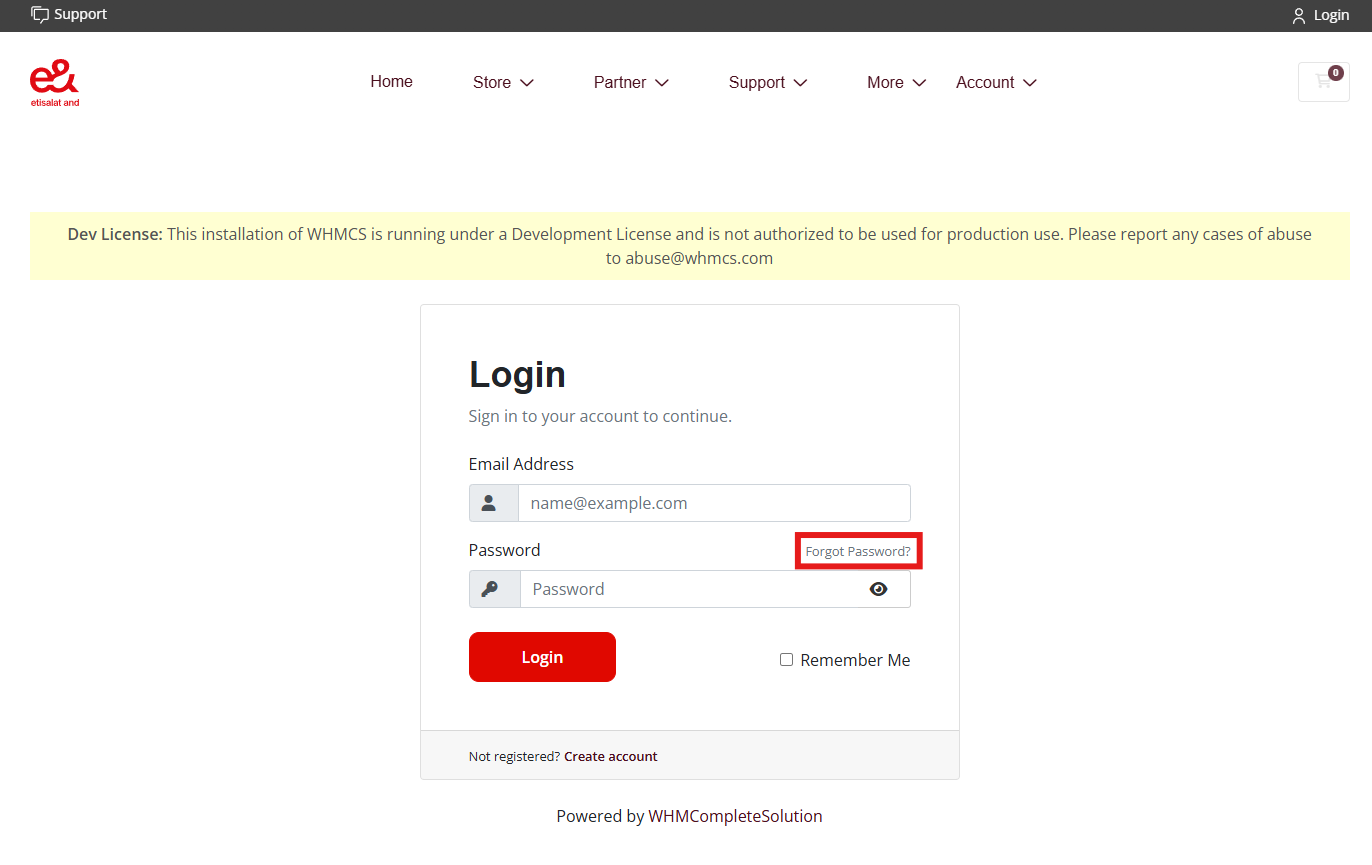
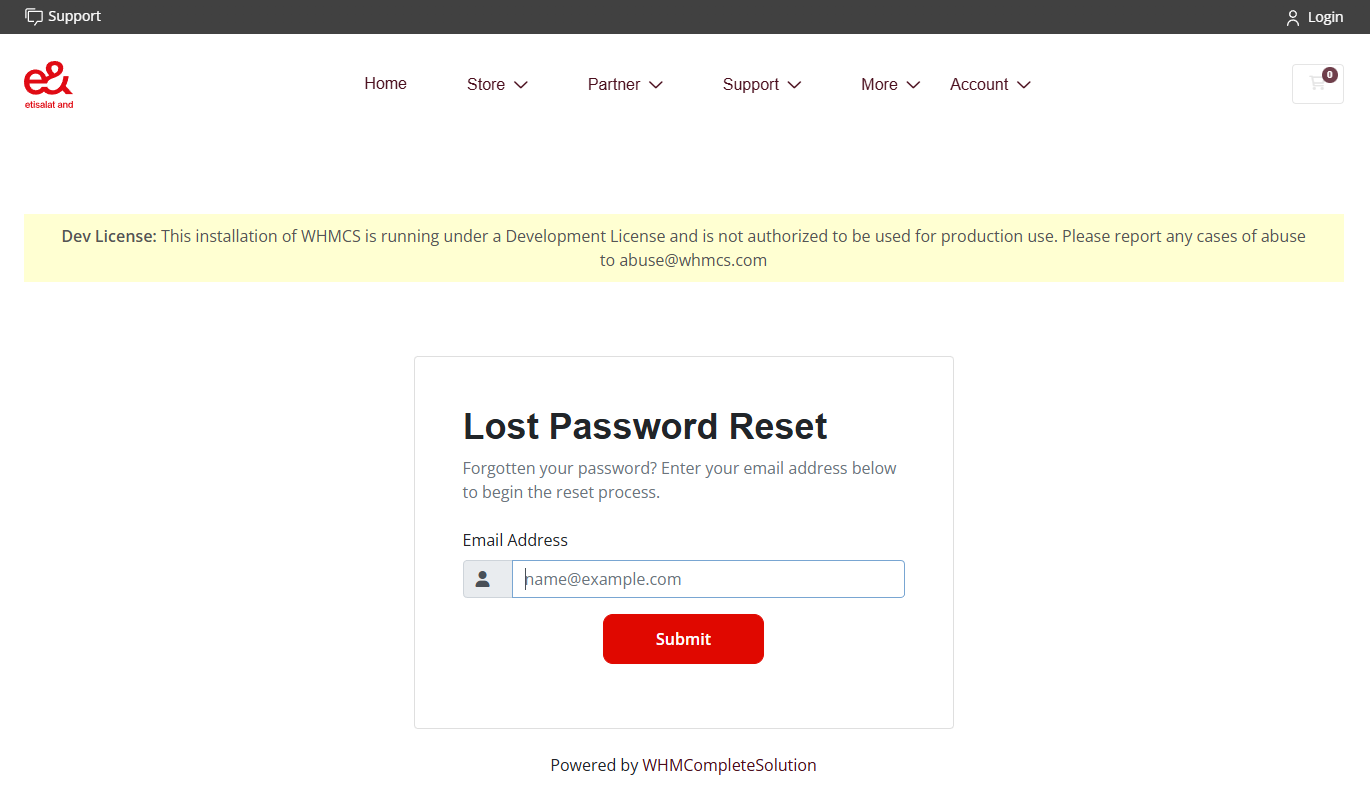
How to reset account password?
- In the login page, locate and click "Forgot Password".
- Under the "Lost Password Reset", enter the email address and click "Submit".
- Once submitted, the password reset link will be sent to the email. The link will be expired in 2 hours.
Was this answer helpful?
« Back
Powered by WHMCompleteSolution
 Support
 Login
Login